
Our New Design System
Jul 27, 2026 | Blog
After I graduated from Fontys University as a software engineer 4 years ago, I joined OpenRemote with the motivation to bring the user interface to a new level. My graduation project, that later became the new Insights page, was my first interaction with the extensive user interface that is the OpenRemote Manager. Unlike other projects I’ve worked on in the past, where products target a single customer, the OpenRemote Manager has to work for many use cases.
Integrating a new design system
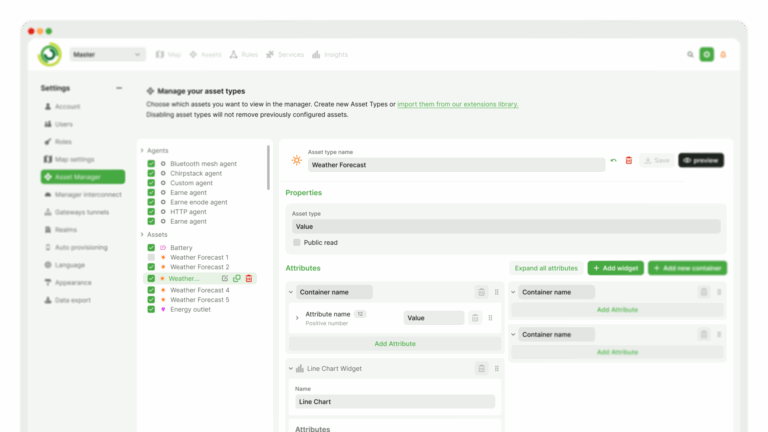
Last month, our UX designer Remy shared his work on a new visual language for OpenRemote. My goal was to replace the unmaintained version of our Material UI components, with a new professional and accessible design system. Also from a technical perspective, maintaining older parts of the codebase was quite a hassle when modern alternatives were available on the market. Most of the original Material UI components date back to 2018, and there was quite a list of issues, visual bugs, or inconsistencies that still had to be resolved.
Why reinvent the wheel when I could start a journey to find a better, off-the-shelf solution?
Our platform uses Web Components, a web standard for creating re-usable elements without vendor-locking into a JavaScript framework. Before joining OpenRemote, I was only familiar with major frameworks like React, Angular and Vue, along with all the features they offer. After working here several years, I instead became a big fan of the Web Components platform. Instead of using a large framework, we rely on web standards, allowing us to build fully isolated components that can be distributed on NPM and used by any framework.
With the visual design language we had in mind, and the technical challenge of replacing Material UI, we decided on using the Vaadin design system. They maintain an extensive, open-source library of Web Components that helps us achieve a higher standard of building user interfaces. Together with the designs of the Manager UI that Remy made, I was ready to start migrating every component from one to another. Every text field, every button, every dialog, and many more components had to be replaced one-by-one.
The result speaks for itself; the difference is night and day with a much more professional and accessible look and feel.
Try it out yourself with our demo if you’d like!
Making it open source
Releasing a new Manager UI with our updated design system as open source has been one of my favourite projects in recent years. It took quite a while to do the research, make the right decisions, integrate it, and keep it maintainable for every collaborator that works on the project. This is also why I love working full time in open source. Every day I get to build visual features that will be enjoyed by users, whatever their use case might be.
We’re also talking with clients and users to learn how they actually use the Manager: what’s blocking them, and what they’ve built themselves. Those conversations surface flows we never planned for, and they shape the changes I work on day to day. Because the product is open source, something a user builds for their own needs can end up as a core feature that benefits everyone else. Part of my job is making sure those additions are integrated properly and fit the rest of the system.
If you use OpenRemote, I’d love to hear what you think about our choices, contact me at martin.peeters@openremote.io or chat on our forum, I’m always open to discuss feedback.